Recalbox 10.0.2 is available: details on fixes and optimizations
Fri Mar 27 2026
Recalbox 10.0.2 is available: details on fixes and optimizations
Recalbox version 10.0.2 is released today. After being rolled out to Alpha Patrons and Patrons — whom we warmly thank for their feedback — this version is now available to everyone! This update includes several fixes, as well as some renamed and reorganized systems. Let’s go through everything in detail!
You can find the full release notes at the bottom of this article.
General fixes and improvements
The fixes in this version are quite broad and cover a wide range of areas. The team has notably worked on system performance to improve overall user comfort; display fixes and logo adjustments have also been made here and there to enhance readability and navigation.
Some cleanup has been done regarding update management (removal of an unnecessary error message, cleaning of the upgrade folder if a download failed to prevent the system from attempting to install an incomplete file…). Several of you reported an issue with the "last played games" system where the display was incorrect: this problem has now been resolved.
exFAT share performance
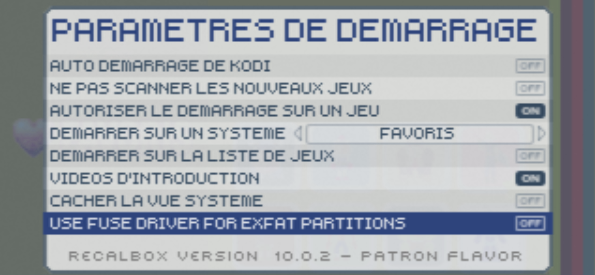
We have also fixed performance issues with dynamic shares formatted in exFAT. If you notice significant slowdowns at startup compared to version 9.2.3, you can enable the legacy exFAT driver in Advanced Options > Boot Settings > Use Fuse Driver. Of course, do not enable this option if everything is working properly!
Renamed systems
Where this update might surprise some users is in the renaming of certain systems:
- Atari 800 => Atari 8-bit (aligned with XL/XE compatibility)
- Neo-Geo => Neo-Geo AES (aligned with the new logo and policy)
- Amiga 600 => Amiga ECS/OCS (aligned with non-AGA compatibility)
- Amiga 1200 => Amiga AGA (aligned with AGA compatibility)
Neo-Geo: a change worth highlighting
Regarding Neo-Geo, this change is significant! There are now two distinct Neo-Geo environments:
The console environment, called "Neo-Geo AES", with your ROMs located in the
roms > neogeofolder.The arcade environment, with your Neo-Geo ROMs placed in the
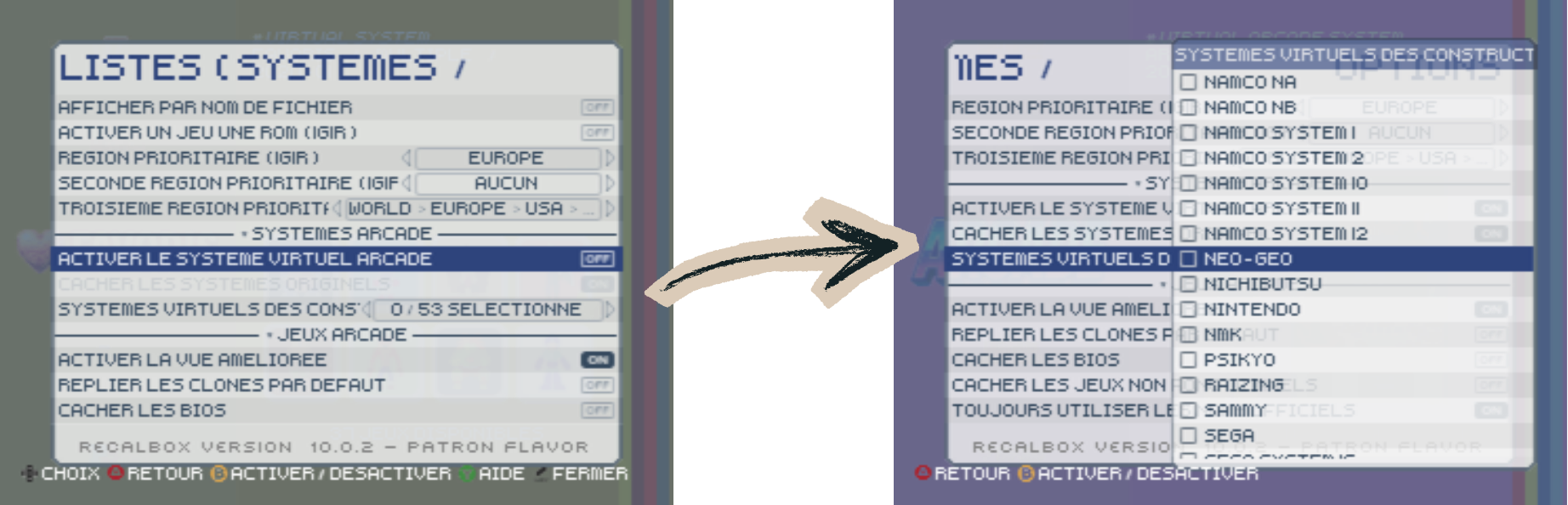
roms > fbneofolder. To see this virtual arcade system, you need to enable the virtual arcade system in "List Options", then enable Neo-Geo.
To be completely clear, "console" ROMs and "arcade" ROMs are exactly the same: it all depends on the folder where you place them.
You can find the full release notes via this link!
Enjoy!
Do you like the work of the Recalbox team? Support the project by becoming a Patron!