RecalboxDMD · Projet communautaire
RecalBoxDMD: Turn a DMD Display into an Animated Marquee for Your Recalbox
By LittleG4M3 · 11 November 2026
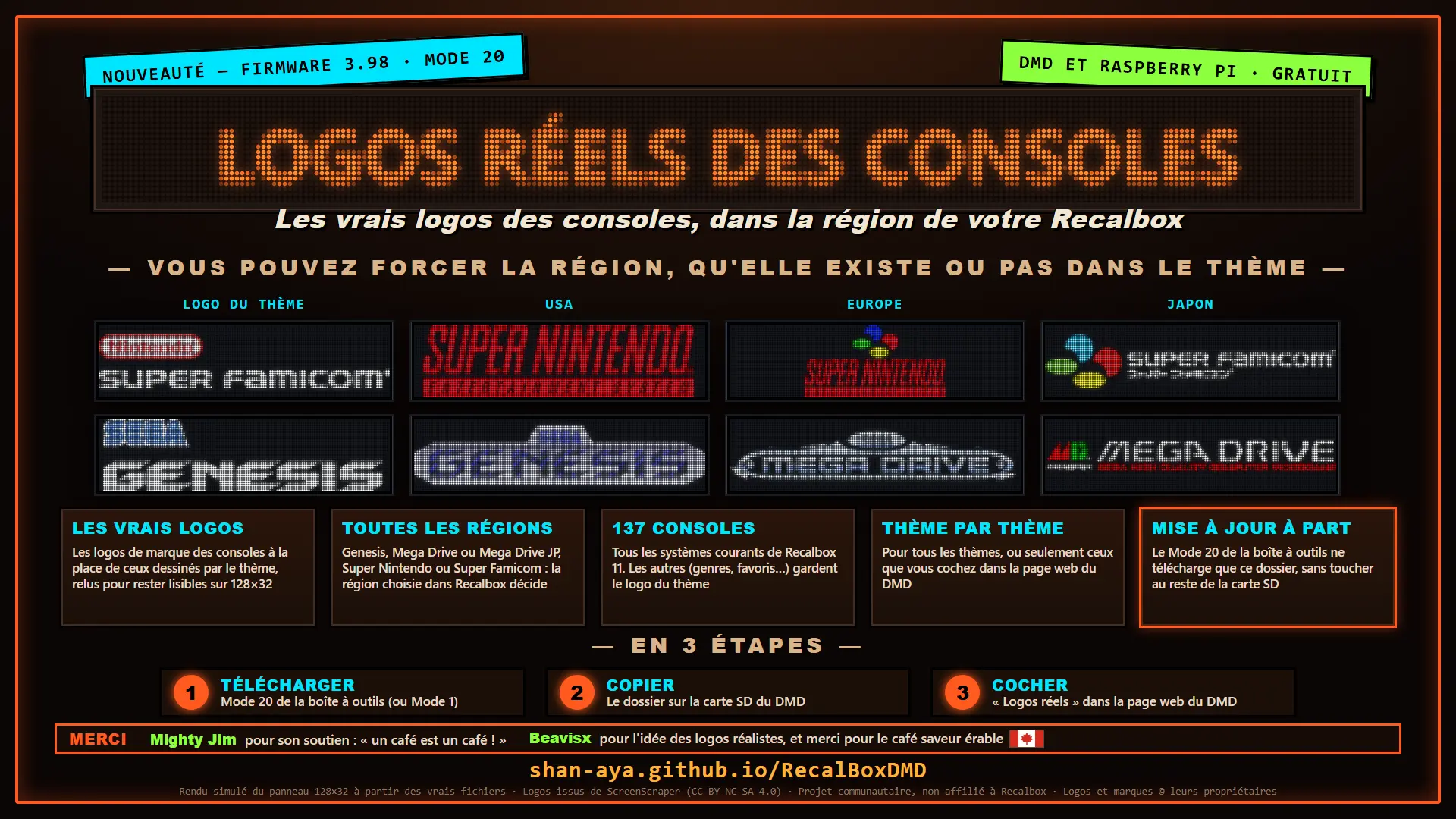
Pinball LED dot-matrix displays have a charm that no modern screen can match. Shan_ayA, a Recalbox user, developed RecalBoxDMD, a project that makes them compatible with Recalbox: console and game logos, hi-scores, widgets, RB Challenge rankings… And when the Recalbox is switched off, the panel remains an animated decorative piece.
What is RecalBoxDMD?
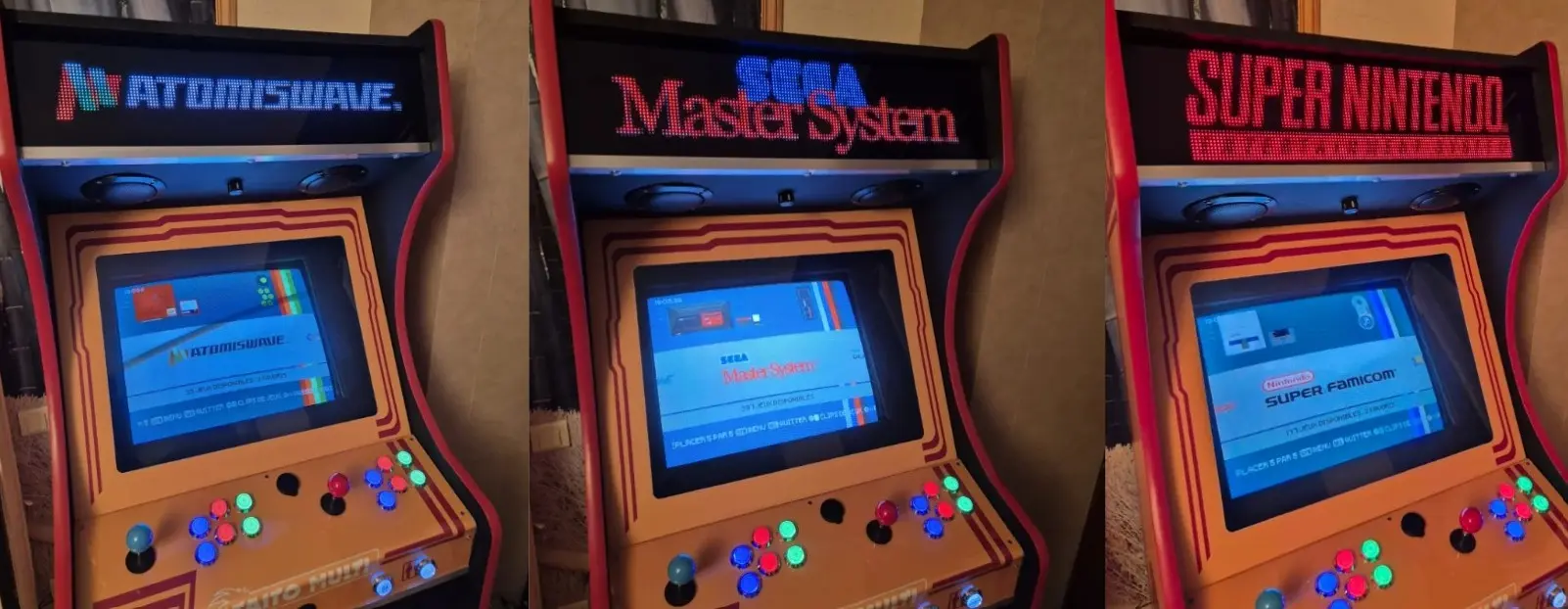
Photos by mighty jim
It’s a standalone illuminated panel built around an LED matrix display. The recommended P4 displays have LEDs spaced 4 mm apart, just like pinball machines, for a great retro look. The frame can be 3D-printed.
On its own, it displays GIF animations and widgets. Connected to a Recalbox over Wi-Fi, it also becomes its digital marquee.
Available for every Recalbox version
RecalBoxDMD works with all versions of Recalbox, including Recalbox 11, and on all platforms: PC, Raspberry Pi, RGB Dual, RGB JAMMA… It even supports multiple Recalbox systems, automatically switching to the one that was powered on most recently.
What it displays in ambient mode
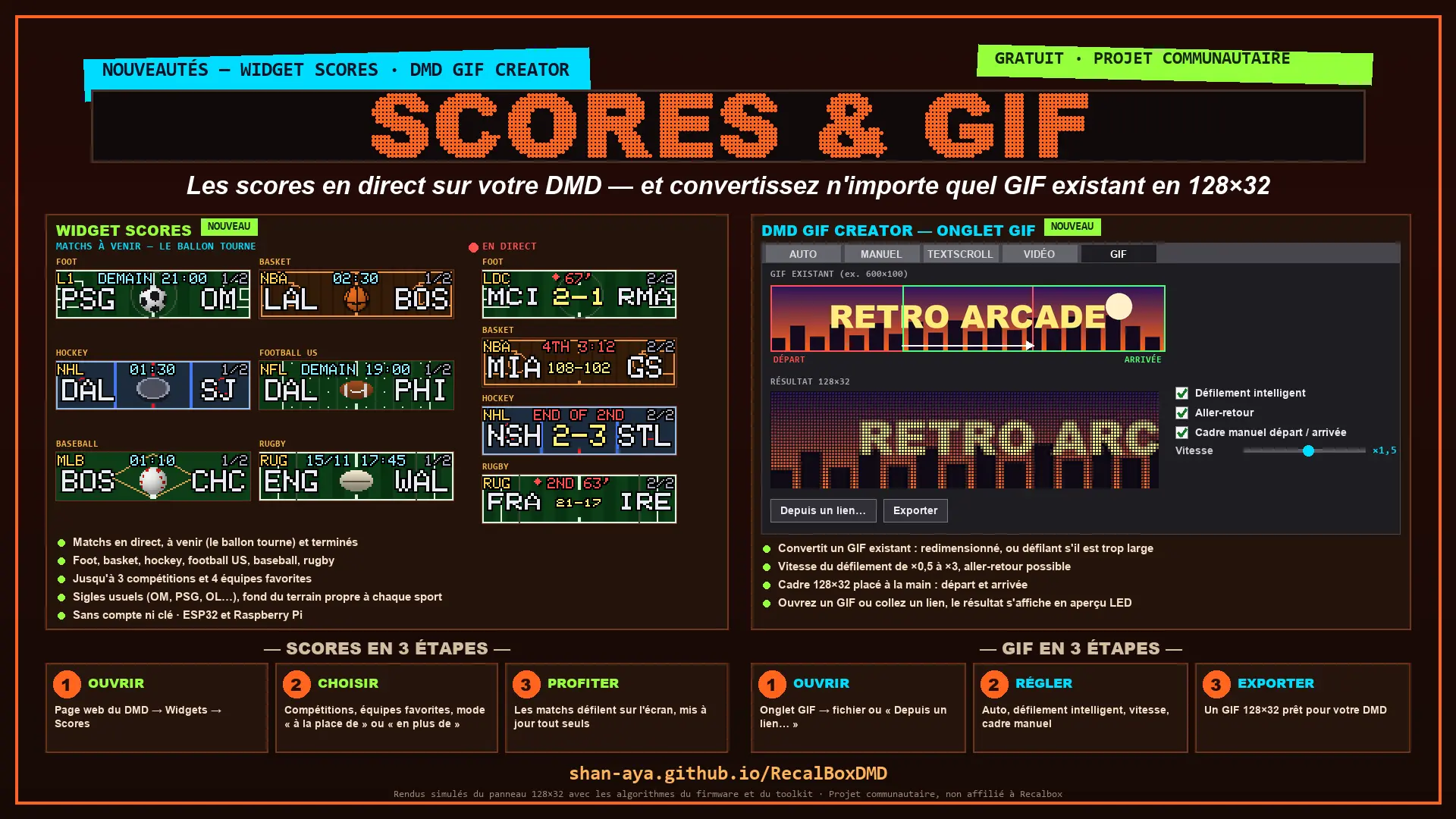
- A GIF playlist (a pack of around 600 pixel-art animations is included)
- Clocks with a wide range of themes
- Daily facts, animated weather and a calendar
- A countdown to a specific date, such as Christmas
- Animated physics simulations: liquid, sand, lava lamps…
- Customizable quizzes and quotes
The GIF pack was provided by eLLuiGi / RpiTeam with their permission. It’s included in the installer, so the panel is ready to use from the moment you turn it on.
What it displays with your Recalbox
As you browse the Recalbox menus, the DMD displays:
- Logos for systems and scraped games
- Hi-scores
- Game descriptions and details (publisher, year…)
- RB Challenge rankings
- RetroAchievements
It’s compatible with Recalbox themes: logos are converted to DMD format. The DMD can mirror the Recalbox exactly, or show something different if you prefer. You can choose to use the original logos, or set the language and region for consoles.
Three widgets round things out: an RB Challenge reminder, bonuses to win, and Recalbox system health (RAM, disk space…).
Compatible with Recalbox 11 and Visual Pinball
Recalbox 11 can control a DMD directly. RecalBoxDMD firmware therefore offers a native Recalbox mode, which you can enable with a single checkbox. The panel then behaves like a ZeDMD Wi-Fi, with Recalbox deciding what appears on it. To use the firmware’s own features again, simply uncheck the same box.
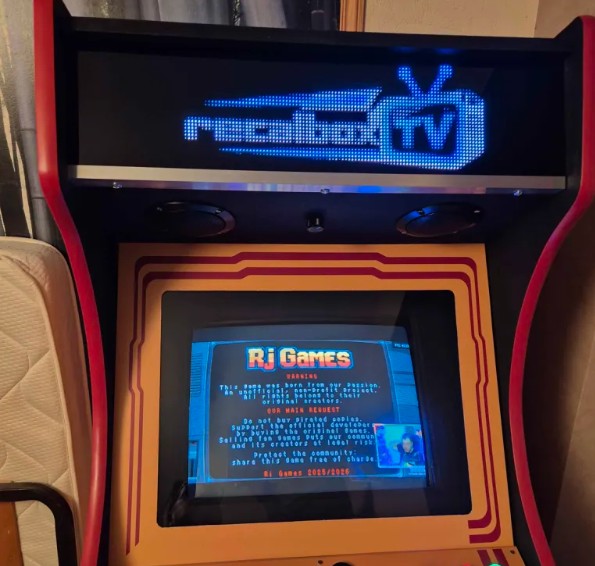
Visual Pinball tables also appear on the DMD, just like on a real pinball machine. Colorized tables (Serum) are shown in color. Shan_ayA worked on this with beudbeud from the Recalbox team to ensure compatibility with Recalbox’s DMD mode.
A fully multilingual project
Everything is available in French, English and Spanish: the firmware, web configuration page, companion app, and even the logos in the Recalbox menus. These logos have been translated while preserving the original style exactly (for example, “multiplayers” becomes “multijoueurs”).
What you’ll need
- 2 HUB75 displays (P4 recommended)
- A USB-C 5V power supply, rated for at least 3A
- A microSD card (at least 8 GB; 32 GB recommended)
- A DMD daughterboard
- Either an ESP32 DevKit v1 or a Raspberry Pi (all models except the Pi 5)
Links to retailers are on the project homepage. With an ESP32, expect to spend around €50–75, depending on the price of the displays and microSD card.
Is it difficult to install?
No. There’s no soldering involved: all you need is a screwdriver, and assembly takes about 5 minutes. Setup is handled by a companion app that guides you step by step and requires very few clicks:
- Select your ROM folder, where your scraped images are stored.
- The app analyzes, optimizes and automatically converts them to DMD format.
- Answer a few questions (language, fallback image for games without a logo…).
- Get an SD card that’s ready to insert into the DMD: switch it on, and you’re all set.
After that, configuration is handled through a smartphone-friendly web page. Updates are delivered over Wi-Fi, so there’s no need to touch the microSD card again, except for a major scraping update, for example.
Jamyz Gaming, a member of the Recalbox community, made a complete video covering assembly and the initial setup:
And there’s more
- A bot that analyzes submitted logs to help with initial troubleshooting
- The ability to share widget content (quotes, quizzes…) and GIFs with the community
- On-the-fly, pixel-perfect conversion of GIFs in unsupported formats, ready to add to your DMD
- Support for a physical button
- Custom scripts for certain features, without leaving Recalbox
- A diagnostic mode
Shan_ayA is very responsive: he welcomes feature requests, provides support and fixes reported bugs, so don’t hesitate to get in touch. The project is constantly evolving, so keep an eye out for new features and fixes as they’re released.
Join the community
A Discord server has just opened for support. A post there brings together integrations already built, with photos and videos from Recalbox community members.
Many thanks to Shan_ayA for the project, eLLuiGi / RpiTeam for the GIFs, beudbeud for his help with DMD mode, and Jamyz Gaming for the tutorial. Find everything (ESP32 and Raspberry Pi installation, tutorials, links to hardware and 3D-printed frames) on the project page.