Blog

    1

Sun Jun 01 2025

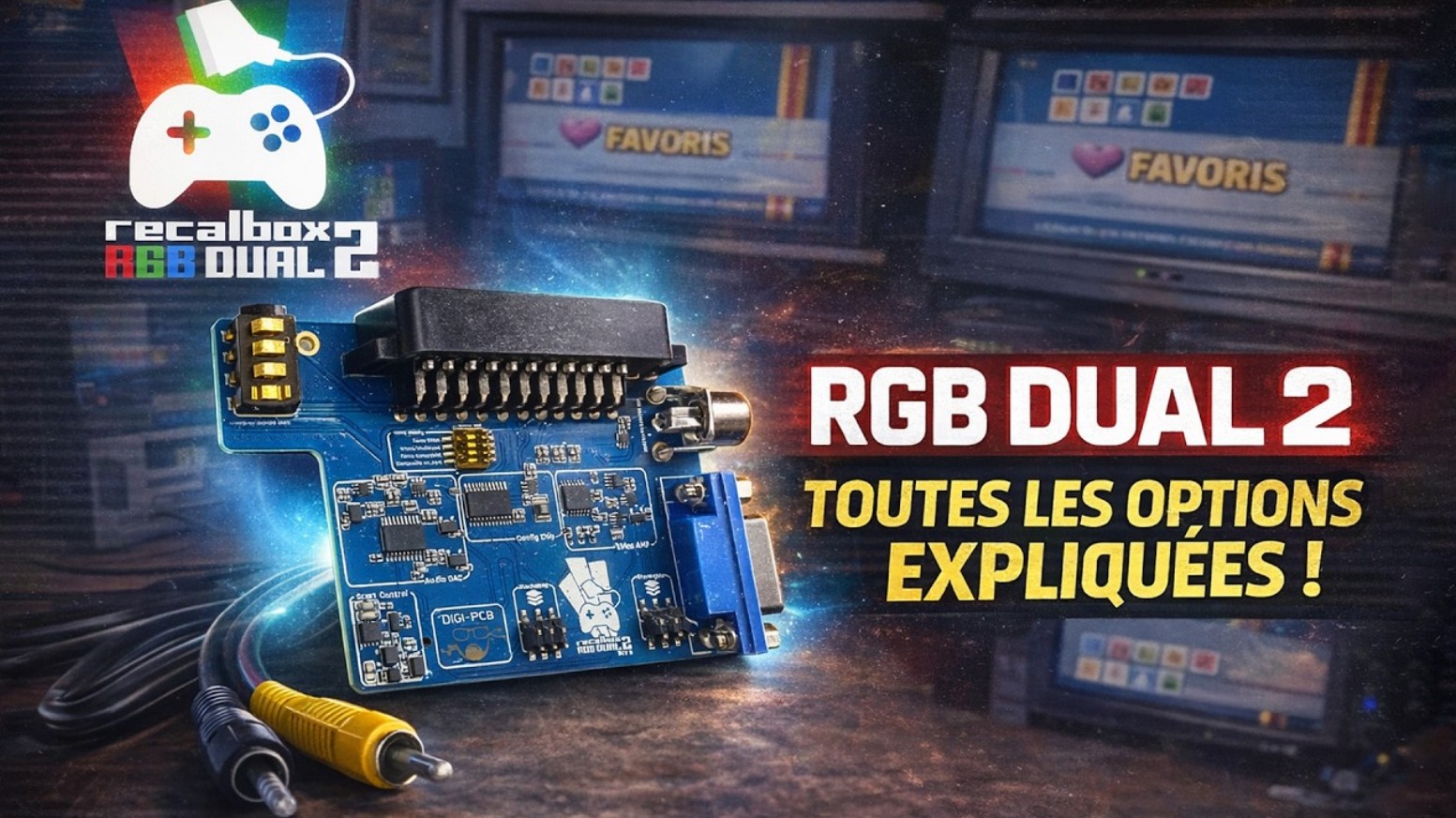
Recalbox Event in Lyon on June 14th: Discover the New RGB JAMMA 2

Retro gaming fans and Recalbox users, get ready for a unique event! On Saturday, June 14th, the Recalbox team invites you to Lyon to celebrate the highly anticipated release of the RGB JAMMA 2 and the RGB DUAL 2. A full day of gaming, community and good vibes!

A program tailor-made for retro fans

The day will kick off with a lunch at the restaurant with the Recalbox team. Please note: places are very limited and exclusively reserved for patrons who are available at noon. To attend, contact digitalLumberjack directly via private message on Discord. It’s a great chance to share a meal and chat with the people behind Recalbox.

From 3pm to 5pm, a VIP session will take place at The Box arcade, again exclusively for patrons. During this time, you’ll get a first look at the new hardware, hands-on testing of the RGB JAMMA 2 and RGB DUAL 2 on real setups, and one-on-one conversations with developers and fellow enthusiasts.

At 5pm, the event opens to all attendees for an evening packed with gaming fun! You’ll be able to enjoy retro games on arcade cabinets and CRT screens — just like in the old days. And yes, snacks will be available to keep your energy up.

Limited spots – don’t miss out!

This event is strictly limited to 50 people, ensuring an intimate and high-quality experience. Registrations will be open to patrons only for the first 3 days, then available to the wider community. So don’t wait!

👉 Book your spot now on HelloAsso

Why attend?

This is the perfect opportunity to get a sneak peek at Recalbox’s latest hardware, talk directly with the team, and connect with other passionate retro gamers. Whether you're a pixel veteran or a curious newcomer, this gathering promises to be a memorable experience.


We’re looking forward to celebrating retro gaming with you in Lyon!

See you soon,
Digi & the Recalbox team

Read more...
Rencontre
User

Sun Jun 01 2025

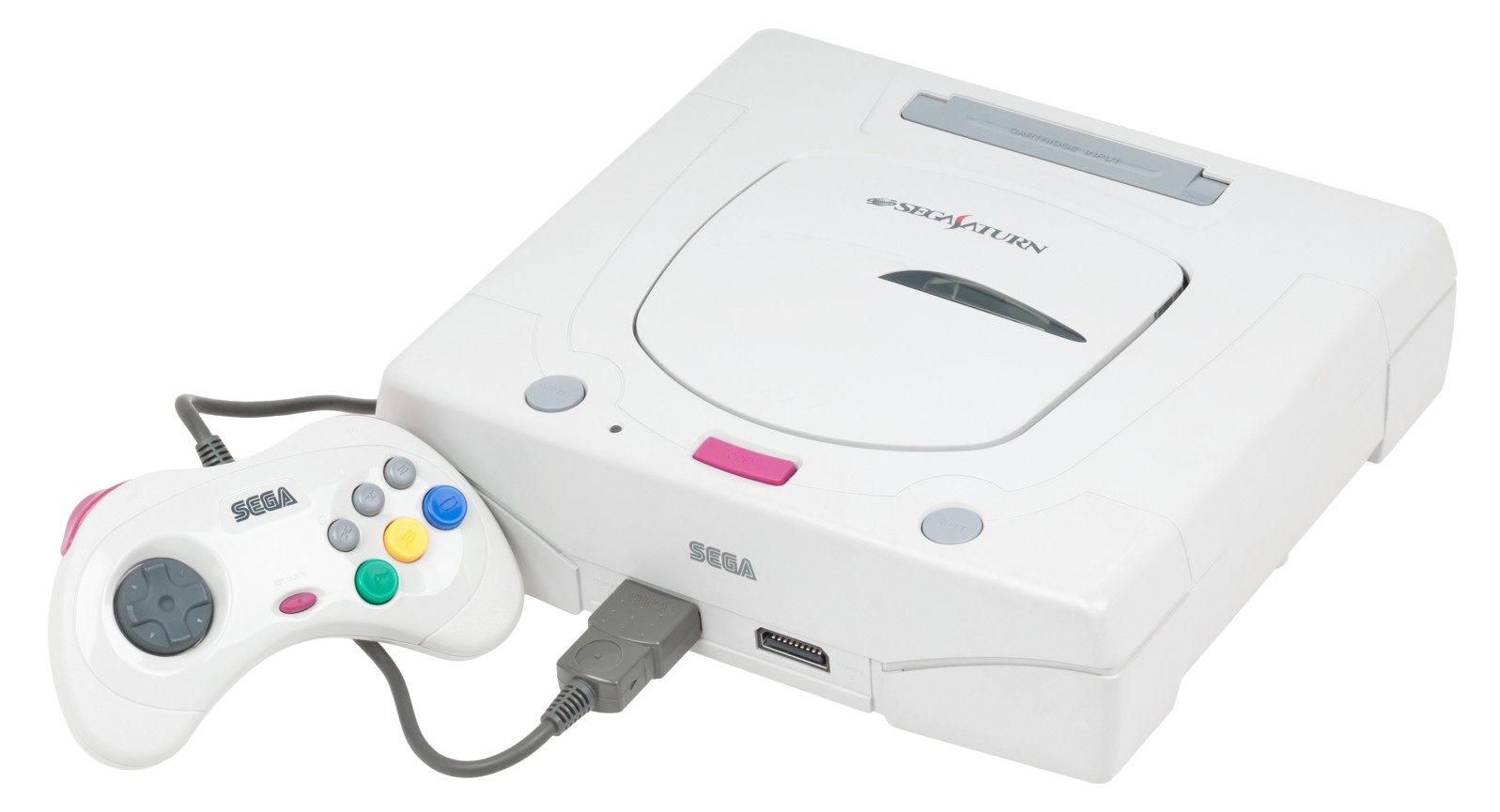
Linear S: a new neo-retro racing game inspired by the Saturn

A new indie racing game, LINEAR 直線的 S, is set to thrill retro gaming fans. Developed by Advent Softworks, this ambitious title aims to faithfully recreate the distinct graphical look of the Sega Saturn, all powered by Unity3D.

A faithful immersion into the Saturn era

LINEAR S is more than just a visual tribute. Built on a custom development framework called PROJECT S, the game reproduces several technical limitations of SEGA’s console: a cap of 2000 polygons per second, no modern transparency, separated rendering layers, and intentional texture blurring to mimic the original aesthetic. Even the framerate is locked at 30 FPS (with an optional 60 FPS mode), to stay true to the classic experience.

Arcade-style gameplay inspired by the greats

On the content side, LINEAR S features three tracks (Beginner, Advanced, Expert) and three game modes: Arcade, Championship, and Time Attack. Two special EX modes can also be unlocked by meeting certain conditions.

The gameplay focuses on accessibility without sacrificing depth: a simplified three-gear transmission, built-in drifting mechanics, and an intentionally old-school handling model reminiscent of Daytona USA and Sega Rally.

Four cars for 90s nostalgia

You’ll get behind the wheel of four cars inspired by Japanese models from the 1990s, each offering its own unique driving feel. This attention to detail further enhances the game’s authenticity and retro arcade atmosphere.

A passion project for Saturn fans

Scheduled for release on PC, LINEAR S promises an experience that’s both nostalgic and demanding, designed for those who miss the raw visuals and direct sensations of Sega Saturn racing games.

For more information, check out the original article on RetroRGB.

Read more...
Linear S
User

Sun Jun 01 2025

Game Boy Camera: a clever tool for your old photos

At Recalbox, we love original ideas and projects that help grow the world of retrogaming. And recently, Time Extension highlighted one of those projects: a web manager for the Game Boy Camera.

Remember: the Game Boy Camera, an official accessory developed by Nintendo, was released in 1998. It’s a miniature digital camera that plugs into a Game Boy (classic, Pocket, Color models, etc.). At the time, it was one of the smallest digital cameras in the world.

With this accessory, you could of course take black and white photos, with the ability to add frames, stickers, filters, and more. It was also possible to edit the photos, add text or stamps, create stop-motion animations, play mini-games, and even print your pictures with another accessory: the Game Boy Printer.

Until now, however, there simply wasn’t any modern tool to easily manage photos from the Game Boy Camera. That’s exactly what Marc Robledo set out to change with his excellent Game Boy Camera Manager.

This tool, fully usable directly in a web browser, allows you to extract photos from a save file, convert them to PNG, add dates, and of course edit them. It’s even possible to add new frames—some of which were previously inaccessible in the original version.

This tool highlights the enduring popularity of the Game Boy Camera, now a cult object. Whether in the world of retrogaming or in the world of art, some artists continue to use this accessory as part of lo-fi photography, an artistic practice that involves creating photos using unconventional devices.

If you’d like to try the tool, head over to this page.

Illustration image: Marc Robledo

Read more...
Game Boy Camera
User

Wed May 28 2025

When a Simple CRT Filter Becomes a Luxury Reserved for the Switch 2

The major gaming event of 2025 will undoubtedly be the release of the Nintendo Switch 2.
The arrival of a new console, along with new exclusives, is always a big moment in the world of video games — but also a time for questioning, especially regarding certain marketing decisions.

It's perfectly understandable that Nintendo would want to highlight its new console, even if it means overshadowing the original Switch, whether through exclusives or features that leverage the enhanced power of the Switch 2.

But it's precisely some of these features, showcased through the Nintendo Switch Online Expansion Pack (Nintendo’s subscription service), that are currently sparking debate within the community.


New features for N64 games — but not for everyone

Starting June 5, classic Nintendo 64 games will receive a small modernization boost:

  • You’ll now be able to configure controls,
  • rewind gameplay,
  • and apply a CRT filter to recreate the look of old CRT TVs.

However: both rewind and the CRT filter will be exclusive to the Switch 2.
Owners of the original Switch will only get access to the control configuration feature.


A questionable decision

This is a debatable move, especially considering the minimal resources required to implement a CRT effect or a rewind system. Platforms like Recalbox have offered these features for several generations of Raspberry Pi, and many neo-retro game developers include them by default. In fact, some emulators in Recalbox have used these features for over twenty years...

So this is clearly not a matter of the original Switch’s technical limitations, but rather a marketing choice aimed at artificially boosting the appeal of the Switch 2 — at the expense of the millions of first-generation Switch users.


A reactive community

The gaming community didn’t waste time expressing its surprise on social media — as shown by the many responses under Nintendo’s tweet.

With a policy of high prices (for both console and games) and sometimes questionable exclusive services, Nintendo, still a cornerstone of the gaming industry, is certainly stirring strong reactions among its fans as the Switch 2 launch approaches.

Read more...
Nintendo Switch 2
User

Wed May 28 2025

Recalbox for dummies: A simple and accessible guide

You've tried Recalbox at a friend's house, you're following our news on social media, your thirst for retrogaming is growing, V10 is coming, the RGB DUAL 2 is catching your eye... but you're still hesitating to jump in, afraid it might be too complicated. Don’t worry: Recalbox is made to be accessible for everyone.

Before we explain how to get started with Recalbox, keep this in mind: Recalbox was specifically designed to be plug and play, so anyone can install the system and relive their childhood games without complex steps.

Of course, the project also allows users to go further by customizing the experience and adapting it to their specific needs. But in this guide, we’ll show you the simplest and most universal way to use Recalbox.

All the steps explained here are also available in the video at the bottom of the article: Recalbox Tutorial 2024: The Ultimate Beginner’s Guide.


Recommended Hardware

If you want to build your own retrogaming console, we recommend installing Recalbox on a Raspberry Pi 5 (4Gb). Why?

  • Because it’s affordable
  • Because everyone has the same Pi 5, avoiding the need to manage dozens of different setups
  • Because it’s reliable hardware
  • Because it will be dedicated solely to Recalbox, avoiding conflicts with other programs

What You’ll Need

  • Raspberry Pi 5 Kit (includes the Pi 5, power supply, and HDMI cable) (4Gb model)
  • MicroSD card (32GB is enough, and one is usually included in the kit)
  • MicroSD card reader (if your PC doesn't have one)
  • USB stick — 128 to 256GB recommended (at least 500GB if you have full sets or many CD games)
  • 8BitDo Pro 2 Controller — Wired or Bluetooth. For Bluetooth, you’ll need a dongle per controller.
  • Existing PS3, PS4, or Xbox One controllers are compatible with Recalbox.

Watch Out for Quality

For the MicroSD, USB stick, and controllers, go with recognized brands.
In retrogaming (as in many areas), buying cheaper often means buying twice. Many common problems are caused by low-quality peripherals.

  • Controllers: Use official PlayStation or Xbox controllers, or reliable and stylish 8BitDo models
  • Storage: Stick to SanDisk or Kingston; avoid generic brands

Setup and Installation

You’ve received your package and you're ready to go. Take your time and work in a quiet space.
Never handle your Pi 5 with the MicroSD or USB stick inserted—that’s the fastest way to damage them.
Place the Pi 5 in its case with the fan — don’t force anything.

Insert the MicroSD card into your PC (or adapter), ignoring any messages from Windows.
Go to the Recalbox download section and install Raspberry Pi Imager. Launch it:

  • In "Choose Device", select Raspberry Pi 5
  • In "Choose OS", go to Emulation and Game OS > Recalbox > Recalbox Pi 5
  • In "Choose Storage", pick your MicroSD
  • Click “Next”

The software will now flash Recalbox onto your MicroSD card. This process takes a few minutes. Once complete, unplug the MicroSD, insert it into your (powered off) Pi 5, connect to your TV, and power it on. Recalbox will finalize setup in seconds and show the home screen.


Controller Setup

Plug in your controller (or Bluetooth dongle if wireless) and pair using the designated buttons. Once detected, press:

START > Controller Settings > Configure a Controller

Follow the on-screen instructions to map all buttons. You’ll already be able to navigate menus to switch Recalbox to English (or your preferred language).

Note: The “Hotkey” button on 8BitDo controllers is the one with the pixel heart.

❗ You must do this for every new controller. It resolves most controller-related issues.


Games & BIOS Files

Recalbox does not include any copyrighted content: no games, no BIOS files.
You will see some games included — these are homebrews (community-authorized creations).

Don’t expect Super Mario Kart or Final Fantasy right away — you’ll need to add your own.

  1. Format your USB stick on your PC: Right-click > Format > exFAT
  2. Plug it into your Raspberry Pi (powered on). Recalbox will offer to initialize it — accept.
  3. Unplug the stick from the Pi and plug it into your PC. You’ll see a folder: Recalbox > roms > with subfolders for each console. Add your games (PS1 in psx, Saturn in saturn, etc.)

Each folder has a “readme” file: read it! It tells you which formats are supported.


Adding BIOS Files

BIOS files must be added directly to the MicroSD card (not USB). You can access it:

  • Via network (if your Recalbox is connected, it will appear on your PC)
  • Or by powering off your Pi and plugging the MicroSD into your PC

Place the BIOS files into share > bios.
You can verify them in a dedicated Recalbox menu.


Scraping Your Games

At first, you won’t see covers, descriptions, or videos. You need to scrape them.
Go to the main menu > “Scraper”. There are several ways to enhance your library.

Follow Fabrice’s video for the best settings:

❗ Scraping can be long: you're downloading hundreds of images/videos.
If you support Recalbox via Patreon, you'll get access to faster servers — up to 40x faster.


Save & Exit Games

Useful shortcuts:

  • Exit game: Hotkey + Start
  • Save game: Hotkey + Square
  • Load save: Hotkey + Triangle

You’re Ready to Begin the Recalbox Adventure!

You’ll gradually discover more menus and settings to personalize your experience.
Take time to explore and experiment — you’ll quickly get comfortable.

Keep Recalbox connected to the internet to ensure updates (bug fixes, stability improvements), and for support on Discord, you’ll need to be on the latest version.

We encourage you to join our Discord community — over 13,000 members ready to help, share passion for retrogaming, join challenges, discover new games… and just have fun.

You'll also find a YouTube playlist with over 100 video tutorials covering different setups and use cases (Arcade, JAMMA, NAS, etc.).

Finally, Fabrice hosts a live Q&A every Saturday and Sunday at 10:00 AM on our Twitch channel — ask questions in the chat or join the live call if possible.

Read more...
Recalbox pour les nuls
User

Wed May 28 2025

This week's Recalbox stream schedule

Are you passionate about retrogaming, curious to (re)discover classic games, or simply looking for a great time? Look no further! Here's the Recalbox stream schedule so you won't miss any of your favorite Twitch shows — with a special guest this Thursday.

📅 This Week’s Schedule

  • Monday at 9 PM – Retro Gaming News
    100% retrogaming news: updates, new releases, projects to follow, highlights of the week.

  • Tuesday at 9 PM – The gaming press of our childhood!
    A nostalgic dive into iconic magazines like Joystick, Player One, Console+, and many more.
    Flipping through pages, sharing memories, lively debates... all mixed with hands-on gameplay from the featured titles.

  • Wednesday at 9 PM – Your retrogaming gems!
    Spotlight on forgotten, underrated, or cult games. A true pixel treasure hunt fueled by your recommendations and libraries.

  • Thursday at 9 PM – Special neo-retro games!

🚨 Don't miss this one!
Interview with Damien from Aurora Game Studio, the developer behind Nightmare Busters Rebirth, a game in the works for Super Nintendo and modern consoles, currently enjoying great success on Kickstarter.

  • Saturday at 10 AM – Live FAQ
    A special session to answer all your technical questions about Recalbox. You can even join Fab2Ris live via our Discord to ask your questions directly.

  • Sunday

    • 10 AM – Live FAQ same format as Saturday.
    • 9 PM – Les Guignols: a quirky, humorous stream to wrap up the week in style!

👉 All streams are broadcast on our Twitch channel, and replays are available a few days later on our YouTube channel.

Recalbox is more than just a retrogaming system — it’s a vibrant community, regular events, and a whole lot of shared passion. So, are you ready to (re)play with us?

Read more...
Stream Twitch
User

Tue May 27 2025

British arcade closes its doors only six months after opening

We often talk about it on this blog and during our Twitch streams: arcade closures have sadly become commonplace these days. While Japan is the main victim of this “trend”, other countries are suffering the same fate.

This time, it's the UK that sees one of its arcades shut down after just six months of existence. FreePlay Gaming Arcade had tried an original concept (which may have led to its downfall): by paying £10 for an hour, you had unlimited access to the venue’s twenty-seven arcade cabinets.

Discounted rates allowed visitors to extend the experience at a lower cost, and family or group packages made it easier to organize retrogaming-themed events. A model that, in the end, turned out to be unprofitable for its manager, who had to stop the bleeding before it was too late:

“The last six months have been a real burden, and this experience has drained me, exhausted me, and taken a toll on my mental health,” said Mike Saxton, the arcade’s manager.

“It’s just not working. I wish I could give it more time, as many have suggested, but what people need to understand is that even without income, the bills keep coming. The longer I wait, the more debt I accumulate. And if everything collapses, all my machines will be sold off to pay the debts instead of going back to the bank. I simply can't let that happen.”

And yet, it’s not for lack of quality. Sega Rally 2, House of the Dead, Time Crisis, Pac-Man, The House of the Dead… all of them are legendary arcade titles and highly sought-after cabinets at retro gaming events and conventions.

Apparently, this wasn't enough to attract enough customers to make the venue profitable. It needed around £500 in revenue per day:

“We lose money every weekend, and we barely break even during the holidays. Opening more days just wasn’t feasible. We tried weekdays, and most of the time, our income was ZERO… some days we made £30, £40, or £50. Everyone’s at work or school, and even afterward, people are caught up in their daily lives.”

“What I’ll really miss is the social aspect. People like me, passionate about video games, would stop by the arcade, and we’d get into long conversations – I’d often end up giving them an extra hour for free.” Saxton confides, heavy-hearted.

A sad conclusion in a world where arcade gaming still struggles to make a comeback in physical venues.

Source: Time Extension / Dorset Echo

Images: FreePlay Gaming Arcade

Read more...
Salles d'Arcade
User

Tue May 27 2025

A new receiver for your GameCube WaveBird controller

Released in 2002, the WaveBird, designed for the Nintendo GameCube, was Nintendo's first official wireless controller. At a time when wireless technology wasn’t yet standard in video gaming, it marked a turning point by offering a cable-free experience with remarkable reliability.

The WaveBird retains the design of the classic GameCube controller. It's slightly heavier and thicker than the wired version, as it houses two AA batteries in the back along with a radio module.

The controller operates via radio frequency (RF), giving it a range of 6 to 10 meters — much more stable and efficient than the infrared technology used in other wireless controllers of the era. It requires a receiver plugged into one of the console’s controller ports.

As with any small accessory, the RF receiver has one notable flaw: it gets lost! Or, more seriously, it can break — which is understandable after 23 years of use. And like many retro gaming accessories, it’s hard to find an original... or at least not without paying a hefty price.

Fortunately, a homebrew creator named Greg from LaserBear might make things easier by offering his own version of the RF receiver for sale. Compatible with all WaveBird controllers, this new receiver supports all firmware versions released for the controller.

There’s no channel wheel here to select one of the six channels and avoid interference: a simple pairing button handles synchronization. Just press it, then hold X and Y on the WaveBird until the connection is established.

The project is open source and available here. As for the device itself, it’s available for purchase at $25 on LaserBear's website.

Source: Retrorgb
Images: LaserBear

Read more...
GameCube
User

Mon May 26 2025

Recalbox V10.0-patron-1: A key milestone before the public release

A few days after the launch of V10.0-patron-1, many of you have shown us your enthusiasm and support on social networks as well as on our Discord.

Your initial feedback on V10 is very important to us: on one hand, because it proves that the project makes sense and is moving in the right direction, and on the other hand, because it helps us stabilize this version by taking into account your various configurations.

This launch has also raised some questions: will V10 be available for "non-patrons"? What does it mean to be a patron?

Being a patron means actively participating in the Recalbox project thanks to your support, your feedback on beta versions, and your suggestions on the project's evolution through dedicated channels on Discord. This support gives you access to various benefits: goodies, autoscrap via Recalbox servers, exclusive playlists, discounts with our partners, and more.

You thus become fully part of the development process of Recalbox public versions. Thanks to your involvement, these versions reach a high level of quality and stability on the majority of configurations.


The Recalbox stand at HFS where many of you came to visit us

Deploying a new version is always an important moment — for you as well as for us. Making new versions available in preview allows us to test updates on as many configurations as possible, which we couldn't do with beta testers alone.

And believe us, considering the number of reports we received on the #patrons and #patron-alpha channels about this V10 in just a few days, this process is more than useful to us: it is mandatory.

So a big thank you to our patrons, from the entire Recalbox team!

This choice to allow our users to support Recalbox via Patreon was a real leap forward for the project. It allowed the core team to free up more time for development and made several projects possible that simply wouldn't have seen the light of day without our patrons — notably the RGB Dual and RGB JAMMA.

That said, Recalbox's philosophy is and will always remain the same: to offer an open source and free retro-gaming solution for everyone. V10 will therefore be available for everyone in its final version in a few months.

To all of you: thank you for supporting us for ten years now and for sharing your retro-gaming moments with us.

Read more...
V10.0-patron-1
User

Mon May 26 2025

Recalbox presents the RGB JAMMA 2

We are proud to present the new Recalbox hardware: the RGB JAMMA 2. As you know, the Raspberry Pi 5 marked a real evolution for Recalbox and retro gaming, thanks to its greatly increased power and radically different architecture.

This allowed us to develop the RGB Dual 2 with new features, and now enables us to upgrade the RGB JAMMA, which now benefits from several improvements, including:

  • Interlaced display (480i), for an even more faithful image,
  • Native support for the GunCon, for intense Time Crisis sessions (among others),
  • Support for coin meters.

The development and production of the RGB JAMMA 2 represent a logical evolution of the first model, rather than a completely new project.
As such, there will be no Kickstarter campaign: it will directly replace the RGB JAMMA 1 on the Recalbox store.

The initial hardware is already mastered, and the addition of new features relies on components we already have in stock. It can therefore be produced quickly and will be offered at the same price as the first model.

Owners of the first RGB JAMMA will of course continue to benefit from support via Recalbox updates. As for whether you need to upgrade your hardware: the answer is simple, not by default.

Interlaced (480i), which allows an extremely sharp image for 480p games, is not liked by everyone due to flickering.
And perhaps you don't even play 480p games (Dreamcast, Naomi, Atomiswave).

The coin meter / counter is a JAMMA feature we had to add based on your feedback.
But if you are not used to hearing the little click of the counter each time you insert a credit, you can probably do without it.
In fact, some arcade cabinets no longer even have this feature.

GunCon support will also be usable on the RGB JAMMA 1 via an intermediate board, or a small hack of the board, for the more technical among you.
It will be less plug and play, but it will work.

If you were not yet familiar with the RGB JAMMA solution, it is hardware designed to connect a Recalbox system directly to an arcade cabinet equipped with a JAMMA connector, while taking advantage of a native RGB signal, for optimal image quality on CRT screens, and all plug and play.

You will find all the details on our dedicated wiki page, and of course, we remain at your disposal on our Discord to answer your questions.

Read more...
RGB JAMMA 2
User

Tue May 20 2025

8BitDo Arcade Controller: The Ultimate Pad for Versus Fighting

8BitDo strikes again with a controller designed specifically for versus fighting. While the Chinese company is no stranger to arcade controllers, this time it targets a niche with a very specific pad.

A radical design: joystick-free

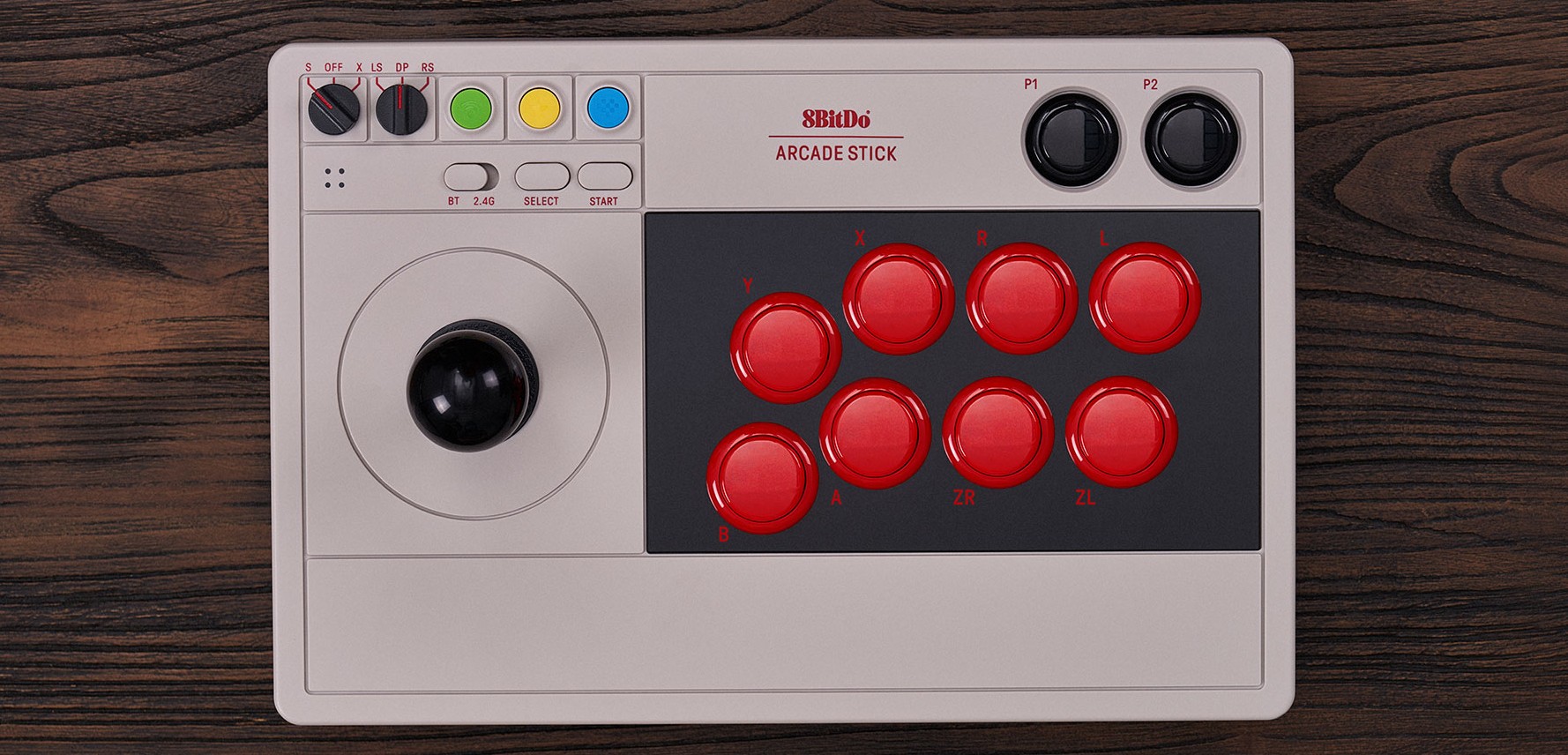
While the Arcade Stick follows the traditional arcade panel lines with a joystick and eight action buttons, the recently unveiled Arcade Controller drops the joystick — a bold choice resulting in a pad made entirely of buttons.

This choice targets demanding and expert versus fighting players. Directions are managed by buttons, not a joystick, to offer increased precision and faster execution. This way, there’s no “race” between left and right as there can be with a joystick.

This system allows pressing almost simultaneously two different directions. It also benefits from SOCD cleaning, which automatically manages sometimes conflicting inputs to avoid unpredictable behavior, for example:

  • Left + Right → the controller returns Neutral
  • Up + Down → usually priority to up

Programmable and interchangeable mechanical buttons

Like all 8BitDo gear, the buttons are programmable with the 8BitDo Ultimate Software V2, allowing you to map your keys and create macros, enabling the programming of long sequences with a single button.

The buttons are mechanical and, as with 8BitDo keyboards, they are interchangeable — whether for aesthetics, gameplay feel, or repair, without needing to disassemble your entire panel.

They are Kailh buttons, from the Wizard series, known for responsiveness and durability. These are “low-profile” buttons, thinner than classic buttons, to ensure portability with only 2.2 cm thickness.

Compatibility and connectivity

The panel is designed to be used on:

  • Switch (S-Input)
  • PC/Xbox (X-Input)

A button lets you instantly switch layouts, with visual indication via the pad’s LEDs.

Regarding connectivity, the Arcade Controller offers:

  • Bluetooth
  • 2.4 GHz connection (with dongle)
  • Wired connection

The battery promises 20 hours of gameplay with a 3-hour charge time.

Versions and price

There is a model in Xbox colors. If you like green and backlighting, you will love it. The RGB LEDs allow you to change the backlight color.

The Arcade Controller is priced at $89.99, with shipping scheduled from July 15, 2025.

Read more...
Arcade Controller 8BitDo
User

Tue May 20 2025

Interview with alx5962, homebrew developer of Mokhey on Game Boy Color

The homebrew scene is of vital importance to the small world of retrogaming. It brings together passionate independent developers who create original games for retro consoles, often long after their commercial lifecycle has ended.

Thanks to their creativity and technical expertise, these enthusiasts breathe new life into our favorite machines, with brand-new titles often impressively high in quality. Today, we’re focusing on one of them, alx5962, for two reasons: first, he’s developing Mokhey, a Game Boy Color game; and second, he’s a Recalbox user. 😉

We had a chance to chat on our Discord, the perfect opportunity for a Q&A to learn more about him and his project, Mokhey:


Can you tell us about the game in a few words?

It’s a game for the Game Boy Color. It tells the story of a young monkey captured by poachers who wants to return to his adoptive family. So it’s a fairly narrative-driven game, but it also features action and puzzle scenes. You could call it a cinematic platformer/adventure, with a 90s-style gameplay. There are many hidden references throughout the game, so I hope some players take the time to find them. My game is available in both French and English, as I know many people prefer to play in their native language. That was actually quite tricky to implement!

The game also supports the Game Boy Printer (not many games have this feature, unfortunately), and I thought it was a cool way to stand out from other indie Game Boy titles.

How did you end up developing for the Game Boy Color, and why that platform?

It’s been a teenage dream of mine to create a game, but I didn’t have the skills back then. In early 2023, I finally felt ready and wanted to try developing for a low-powered console, since it requires fewer resources (especially graphically), making a quick prototype more realistic. I’ve also been doing pixel art for a long time, so the Game Boy seemed like an ideal choice. I started with GBDK (a Game Boy SDK), but later I read an article about the developer JohnDo, who made a Game Boy game about Dijon, which led me to discover GB Studio. I continued working on my game using that tool.

Did you develop it all by yourself?

Yes, I did everything myself: the story, graphics, code, music, the box—and I even flashed the Game Boy cartridges. I learned to do that during COVID thanks to an open-source project: the Sanni CartReader. My first test with a basic sprite and screen was in January 2023. I’ve spent countless evenings and weekends on it over the past two years. Most of the time, I was coding while watching Recalbox or Hyperion streams 😅

What was the biggest challenge?

Music, clearly! I’m used to MIDI setups or direct-input instruments, so I had to relearn everything. The Game Boy is super limited musically: four audio channels with only square or triangular waveforms… So I had to program every note and every effect! In the end, I composed 15 tracks, though not all of them made it into the final game. GB Studio is a great tool with frequent updates, but sadly there aren’t many tutorials available.

Mokhey is partly inspired by Mother 3. What other games influenced you?

The initial idea was to tell the story of Salsa, the monkey from Mother 3, who’s mistreated by his master. I wanted to give him an origin story. But later, I decided to write an original tale. My first major inspiration was Toby Fox, who started by modding the Mother series and later created Undertale and Deltarune. I’m a big fan of The Legend of Zelda, but there are already so many fan games inspired by Link’s Awakening that I wanted to do anything but a Zelda-like.

Have you tested the game on Recalbox?

Yes, of course. Several people even finished the demo on it. It’s also tested on real hardware—I have a flash cart on my Game Boy Color, which also has an AMOLED screen, great for graphics! I even showed the demo to the Recalbox team last year during the Avion meetup.

Any other projects in the works?

I’d love to remake all the game’s music in piano and lo-fi versions at some point. I’ve also been learning Unreal Engine 5 recently, but I don’t plan to make a full game with it just yet.


Big thanks to alx5962 for taking the time to answer our questions!
To follow his work, you can check out:

And if you’d like to support his work, you can buy Mokhey on https://mohkey.com/. Note: all collector’s editions are already sold out, but the standard edition is available for €30 (shipping included). Only about 30 physical copies remain, and there won’t be a second print run.

And who knows—maybe Mokhey will come preinstalled on your Recalbox in a few months… 😉

Read more...
Mohkey
User

Mon May 19 2025

Recalbox Challenge: Battle Circuit, Capcom’s Offbeat Beat’em All

As every two weeks, you can take part in a new challenge on the Recalbox Discord. This challenge is open to everyone.
The idea is simple: try to get the highest score on a randomly selected game, often from the arcade catalog.

🚀 For this sixth challenge of 2025, the selected game is Battle Circuit

After a short break due to the final stretch before the release of V10, it's time to score again on a good old beat'em all!

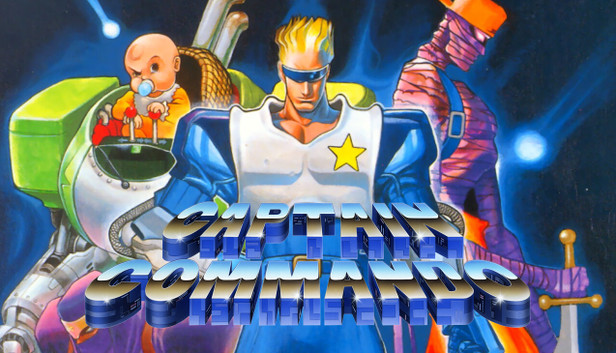
Developed and published by Capcom in 1997 on arcade hardware (CPS-2), Battle Circuit is one of the last games of its kind created by Capcom for arcades, following in the footsteps of titles like Final Fight or Captain Commando.
Despite its qualities, it remained under the radar for a long time, having never received a console port upon release — until it was included in the Capcom Beat 'Em Up Bundle compilation in 2018.

The game stands out with its crazy and highly colorful world, typical of the late '90s. Set in a cyberpunk future, bounty hunters battle criminal organizations and bizarre creatures. The tone is intentionally absurd and humorous, with quirky characters blending cartoon, manga, and sci-fi styles.

While the game may seem simple in terms of controls — with only two action buttons — remember that this is a Capcom title. Several combos are available to chain enemies together:

  • Holding the attack button
  • Attack + jump for a super move
  • Quarter-circle on the joystick + attack for a special attack
  • And many more to discover

Each character and the bonuses selected at the end of each level bring unique variations. And those levels won’t be a walk in the park. The game supports four-player co-op, but you’ll be on your own to take on seven stages, each ending with one or more fierce bosses.


👥 Playable Characters

You can choose one of five bounty hunters with very different styles and moves:

  • Cyber Blue: a classic hero with balanced attacks
  • Captain Silver: an eccentric monkey-man
  • Yellow Iris: a woman accompanied by a mechanical feline
  • Pink Ostrich: a pink ostrich ridden by a young girl
  • Alien Green: a mutant extraterrestrial plant

Each character has special attacks and can unlock new techniques between levels using credits, adding a light RPG element to the gameplay.


🏆 Challenge Rules

Playing as one of the five characters, your goal is to achieve the highest score on a single credit.

🗓️ The challenge runs from May 19 to June 2, midnight (UTC+2).
You can try as many times as you like.


📢 How to Participate?

  1. 🎮 Launch the game (ROM: battlecir)
  2. 🏹 Play and try to beat the high score
  3. 📸 Take a screenshot or photo of your final score
  4. 📤 Share your score on the #challenges Discord channel
    or use the command "/submit score leaderboard" in the same channel

⚖️ Rules to Follow

To ensure fair play:

  • The score must be achieved on a single credit
  • No save states, rewind, cheats, or auto-fire (unless it’s part of the original game)

🎁 Rewards & Fair Play

This challenge is primarily about discovering games, sharing tips, and having fun, all in a spirit of friendly competition.
The winner will receive a game key (GOG, Steam, etc.) to choose from a list of about 200 titles.

📌 If you've won a challenge within the last three months, the prize will go to the next highest scorer 🥇🥈🥉

Good luck to all, and may the best score win!

Images: Capcom

Read more...
Challenge Recalbox / Battle Circuit
User

Sun May 18 2025

Recalbox V10.0-patron-1 – Release Notes

It's here! Version 10-Patron-1 is finally available for our Patrons! A lot has changed in this release… and yet, this is only the beginning!

This first Patron release of V10 took time to arrive: the entire technical foundation of Recalbox has been updated, which caused countless issues with emulators, Kodi, and many other components.
It took weeks of debugging and fixes to finally offer you a release as stable as possible.


🎮 New Systems and Emulators

Several new emulators are making their debut in this version!

  • The highly anticipated Dolphin emulator is finally available on Raspberry Pi 5 (GameCube)
  • The Xbox emulator is now available on PC, just like Virtual Pinball on PC and Pi5
  • DICE, a 1970s arcade emulator, also joins the lineup!

MAME has been updated to version 0.274, with major improvements in emulation accuracy and speed, especially on PC and Pi5.

For microcomputer fans:

  • New cores for Atari ST/STE, Apple II, and BBC Micro, for the best possible experience with these classic systems.

As for ports, you'll now find:
OpenLara (Tomb Raider), Julius (Caesar III), Corsix-TH (Theme Hospital), VVVVVV, and even... Tamagotchi!

Many other cores and emulators have also been updated.

💡 Bonus: advanced options for some emulators are now directly accessible from the Recalbox interface!


🧭 A More Intuitive Interface

Lots of changes in EmulationStation as well:

  • New look: modern and colorful system logos, faithful to the original machines.
  • Redesigned menus with a more intuitive layout and improved design.
  • Improved search functionality.
  • Smoother navigation through game lists.
  • New icon-based information, new sorting options, and clearer visual markers.

And there’s more:

  • Lock favorites and bring them back to the top of the list.
  • ROM checks when launching games.
  • Show/hide systems individually.
  • Search by license (e.g., all Zelda games) or by alias (names vary by language or region).

📂 Add Your Games More Easily

Just copy your games into a roms folder:
Recalbox will automatically detect the changes and prompt you to update your library without restarting.

  • New games? Recalbox will offer to scrape them right away (Patron exclusive), and only the new ones!
  • Modify a gamelist.xml file? Recalbox will detect it and update the data on the fly.

User data from gamelists is now stored separately (automatic migration).
So if you scrape again with Skraper or delete your gamelist.xml, you won’t lose your favorites anymore!


🧱 New Hardware Support

  • Raspberry Pi 500, Pi5 2GB
  • Retroflag 64Pi and ArgonOne V3 cases

⚙️ System

Lots of new system-level features too:

  • Major Bluetooth improvements (auto-reconnect on boot)
  • Dynamic network shares
  • Automatic bootloader update
  • Support for RPi Imager settings (SSH key, Wi-Fi, etc.)

📺 CRT with RGB Dual / Jamma

Lots of improvements:

  • Dynamic resolutions (change during gameplay!)
  • Support for native resolutions
  • Fixed RetroArch notifications and HDMI priority issues

As for Jamma, HDMI output is now possible and 24 kHz is supported!


And that’s not all…
To learn more, check out the full changelog here:
👉 Full release notes on GitLab

Read more...
Recalbox V10.0-patron-1
User

Sat May 17 2025

Recalbox V10.0-patron-1 available today for our Patrons!

After several months of development, and as promised, we’re thrilled to release the 10.0-patron-1 version of Recalbox exclusively for our Patrons!

You’ll find many improvements in this release, including:

  • Addition of Gamecube support on Raspberry Pi 5
  • Addition of XBOX (PC)
  • Addition of VPinball (RPi5, PC)
  • New options to customize your interface (sorting, icons, visible systems…)
  • Automatic support for controller vibration
  • Dynamic and native resolutions (RGB JAMMA / DUAL)
  • Mame 0.274 with improved 2D and 3D performance on Pi5 and PC
  • New system logos
  • New graphic design and menu reorganization
  • Updates to about 30 emulators and Kodi
  • and many more additions and improvements we’ll share ASAP on the blog via the release notes.

Contribute to Recalbox V10 Development

Version 10 is now available for all Patrons (supporting the project via Patreon), as an update from Recalbox 9.2.3.
But this time, we’re going further: you can contribute even more actively to its development thanks to access to the Alpha version, usually reserved for our beta testers.

How does it work?

It’s very simple: in the update options (START menu), you can choose between the Patron version and the Patron Alpha version.

Want a stable Patron version?

Stay on the Patron version to enjoy V10 with peace of mind, receiving updates with each new Patron release.

Want to try the Patron Alpha version?

Select Patron Alpha updates to access the patron-alpha channel updates.

Why a new update channel?

  • To share your feedback faster and directly with the developers
  • To validate fixes more quickly when a bug directly affects you
  • To help us test Recalbox faster and on more varied setups

For the occasion, we’ve created a dedicated new Discord channel: #patron-alpha

⚠️ The Patron Alpha version may contain bugs and will naturally be less stable than official releases. Please keep that in mind :)

And if you ever want to return to a stable version, no worries:
Just select “Patron” in the update options. Recalbox will then offer to update back to the stable version while keeping all your settings (Wi-Fi, Retroachievements, controllers…).

This message is also an opportunity to thank you for your support and patience! V10 lays the foundation for many future projects… and we can’t wait to tell you more soon!

Read more...
Recalbox V10
User

Fri May 16 2025

Exclusive: Interview with the creators of OctaRace, the spiritual successor to Micro Machines V3

Since its first trailer, OctaRace caught our eye — partly thanks to its bold artistic direction, and partly because of the nostalgia it evokes. The game clearly pays homage to Micro Machines V3, a legendary title from the original PlayStation.

So when we found out it was being developed by Pixel Almost Perfect, a French studio made up of just two developers, our curiosity only grew. We reached out to Ghislain Avrillon and Adrien Vernotte, founders of the studio, to talk about the game and our shared passion.

In this interview, Ghislain kindly took the time to answer our questions during a 40-minute chat. A passionate discussion you can read below — covering many aspects of the project and highlighting the Kickstarter campaign.

While the game is already set for a digital release, the campaign allows you to support the small team and help fund a physical edition, as well as post-launch content — not to mention Kickstarter-exclusive rewards.


Let me start with my favorite childhood game — the one that inspired OctaRace — Micro Machines V3. What can you tell me about it?

It’s a generational game. I used to play it with my friends as a teen. We had those multi-taps to play with eight players — and when we didn’t have them, we’d just share the four controllers. It was amazing. It was insane. People were yelling, people were crying… but we were having a blast.

There were three or four of us who played regularly, and then others who joined in gradually — so there was always a mix of skill levels. Just wonderful memories.

It was also incredibly unfair sometimes — like when you’d cut a corner and survive, or blow up for no reason!

You knew exactly which parts were glitchy. You’d clench your cheeks and hope for the best — and sometimes you’d make it. The others would yell because you were supposed to explode… and didn’t. That was part of the charm — it was awesome.

So how did the idea for OctaRace come about?

It came from those memories, plain and simple. Before OctaRace, we made a game called OctaFight, a fighting game. When it came time to start our second project, Micro Machines immediately came to mind. My approach is to dig into those childhood experiences — things that made me laugh, that moved me as a kid — and try to remake them in my own way. A sort of modern version, but not too modern.

So with OctaRace, Adrien [Adrien Vernotte] and I wanted to make a racing game. Micro Machines had a big impact on me. Adrien and I were also big fans of Crash Team Racing. We wanted drifting, multiplayer action…

Our identity at Pixel Almost Perfect is very much about multiplayer — up to eight players — which clearly comes from Micro Machines. OctaRace is couch sessions with friends, racing fun, colorful and simple. Visually it’s low poly, low resolution — more PlayStation 1 style — and I find that kind of constraint helps me be creative. It forces bold choices in the design, shapes, and colors…

Given how beloved Micro Machines is, why do you think we don’t see more games that capture that same level of fun?

That’s a tough one. It has a lot to do with trends. These days, games tend to focus on solo experiences or online multiplayer. Playing together on the couch, with real people sitting next to you — that’s just not a thing anymore.

Also, the charm of those pixelated, simple graphics is that they leave room for imagination. When you add too much detail, you kind of kill the magic.

How many of you are working on OctaRace?

There’s just two of us. Adrien [Vernotte] is my partner — he’s a programmer, handling the technical infrastructure, online features, and ports. I handle visuals, animation, design, UI… We do get help from outside folks on specific elements.

When did you realize “Okay, this formula works”? Was there a lightbulb moment?

When we pitched the project to a potential publisher, we made a prototype. We launched the game during the pitch and just started playing. After a while, we kind of forgot we were supposed to be presenting. We were just trash-talking each other and having fun.

Later, the publisher said, “What convinced us was how much fun you were having with your own game.” Even in the early days — with bugs and rough visuals — the core gameplay was already fun. That’s when we knew we had something.

Can you talk about the vehicles? I saw there's customization.

We have around a dozen vehicles. They take on the color of your chosen character. You can also add purely aesthetic customizations — no gameplay impact. There are already six different handling types across the vehicles, so we didn’t want to overcomplicate things. We want it to stay accessible.

For example, if you equip a police siren, your horn sounds like a police car. If you stick a solar panel on top, your engine sound changes and there’s no smoke behind your car anymore.

There are 12 vehicles and 6 driving types — so two vehicles per type. For instance, there’s a fishing boat and a sailboat — they belong to the “floating” type, and handle the same, but look totally different.

Power-ups were a big part of Micro Machines — are there any in OctaRace?

We found an alternative — there are some, but they’re optional. Think of it like Super Smash Bros. We call them “Octa Rules” — game modifiers that can be enabled. There’s a roulette at the start of a match. Some are passive — like low gravity, where everyone floats after a jump. Others are active — bombs, shields, that sort of thing. It’s a pool of random modifiers that spice up each round.

The characters also seem to matter a lot. I always picked Dwayne in Micro Machines. I loved that guy.

There are eight characters. Each has a unique backstory written with the help of Pipomantis — a writer for Canard PC, Gamekult, and others. He also helped us with game design.

The characters were created by Simon “Hutt” Trousselier, art director at Splashteam (the folks behind Tinykin). He’s an amazing artist.

Characters are super important to me. Like you said, with Micro Machines, you remember Dwayne and his colors. There was Jade, Spider — they were all stereotypes. We wanted that too — silly archetypes of all kinds: men, women, short, big… so players can identify with one and stick with it. That favorite character becomes your go-to.

Do you have a favorite character yourself?

Ah! I really like O’Sullivan — the big Irish guy who carries a sheep under his arm. And actually, the real boss of the duo is the sheep!

So the characters have a story, did you create a "script" like in Micro Maniacs?

The characters do have a story, there is a little scenario — it's something we cared about, to provide some context. There is a progression system: by playing, you gain experience, no matter the game mode. You level up as a driver, and at every significant driver level, you earn rewards like a new vehicle, customization options, a music track unlocked in the jukebox...
And the more people play, the faster you gain experience!

The tracks are set in biomes, how many are there?

Today, there are eight biomes. I got inspired by, and want to pay tribute to, the developers of Lonely Mountains — the mountain biking game, which is amazing — I really drew from their design.

Each biome has three connected tracks: a short, a medium, and a long one. So, three tracks per biome, eight biomes, which makes 24 tracks currently. But there will probably be more in the future if all goes well; I already have quite a bit of content in the works.


We talked about the very trendy solo experience nowadays, and at the same time the desire to have a fun multiplayer game, how did you manage to find the balance?

It took a lot of work, a lot of research. We approached the game design by trying to think of every type of player, so that when they launch the game, there's something to engage them for the short or long term.

We have three main modes in OctaRace. The main one, OctaRace itself, is really a multiplayer mode — you can play solo against bots but it’s a very chaotic multiplayer, very fast matches, really the mode we know from Micro Machines.

Then there is a pure solo mode, Time Attack, somewhat inspired by TrackMania, where you hit checkpoints and laps, record your times on the leaderboard, and compare yourself with friends and world records — that’s for the time attack enthusiasts.

We also wanted a more chill mode, so we created Free Roam, a free exploration mode where you can freely roam each biome. Collect coins, discover secrets... These are three very different modes for three very different gameplay experiences. You’ll have one kind of experience when playing with friends, another when playing solo training in Time Attack, and you can introduce a younger player to the game with Free Roam without any time or stress constraints.

We’re thinking about other game modes we could add later; the game is made to be expandable — in vehicles, biomes, and game modes.

Can you tell us more about the game’s music?

The music and sound design are done by Alexis Laugier, he works in Montpellier, is super nice, and has worked on many Montpellier-based productions including Tinykin, Road 96, Have a Nice Death, and many other French and Montpellier productions. He’s a top-notch sound designer and musician and has been with us since OctaFight. In terms of music content, there’s a dedicated track per biome and a track for the main menu.

In Micro Machines, many people struggle with the idea of moving up and down the screen with the camera above the track — did you implement a driving school?

We put in a small tutorial so first-time players can test the controls. It’s very simple: learning to turn, accelerate, and drift — drifting builds boost to go faster.

Is there an Easy to play, Hard to master aspect?

That’s something you hear in most video game productions, but yes, we try to do that too. Something simple in mechanics so you can quickly play with friends, but when you want to dig deeper, you discover different gameplay layers, synergies, and interactions. Different vehicle types, different surfaces depending on the biomes.

Each character is associated with a biome. For example, Wilson is a grimy castaway — he belongs to the Pirate Islands biome, which is sandy, so driving on sand is different from driving on dirt, grass, asphalt, or snow — each biome brings a different gameplay.

There is also a weather system, but it’s purely aesthetic and doesn’t affect driving. However, each time you start a race, the time of day and weather are different, and the camera angle rotates, so the camera’s starting angle changes every game start — except in Time Attack. So in OctaRace, you can’t memorize the directions by heart. The track is the same, but only the camera orientation changes.

Vehicle handling also interacts with the surface type. For example, if you play a heavy vehicle that’s not very maneuverable, on asphalt it’s manageable, but on ice it becomes even harder to handle.

So you can take a boat on asphalt?

Of course! We don’t limit anything — we don’t care at all. It will be totally silly and that’s part of the fun, no questions asked. There’s a little logic though: if there’s a puddle, all other vehicles fall in, but the boat can pass. Flying vehicles can glide after a jump... You have passive advantages or disadvantages depending on the vehicle you choose.

Any Easter eggs planned?

Yes, definitely.

There is a Kickstarter campaign — can you tell us why it’s necessary for you?

It will help us produce a physical version, strengthen the online features, and especially, for the long term, keep supporting the game with new content.

When you see OctaRace, you immediately think of Micro Machines, and you even claim it as a spiritual successor — doesn’t the game’s legacy put extra pressure on you?

Obviously, but also a great pride at the same time. It’s exactly what we grew up with and what we want to pay tribute to. So yes, pressure, but positive pressure. They were genius guys; now they do realistic games (Codemasters), whereas we’re about the opposite of realism. Everything is about cheating — you always try to exaggerate and cheat to make the game fun, instinctive, and enjoyable.

Here’s a fun anecdote about Micro Machines V3 and OctaRace: the design of the base vehicle in OctaRace is directly inspired by the Micro Machines car, the one from the menus and loading screens. That design is perfect — perfectly simple.


Many thanks to Ghislain for kindly giving us some of his time for this interview. You’ve probably already played or seen projects he worked on. An animator and animated film director by training, he joined Ubisoft in 2012, where he learned video game development on the job. His credits include Rayman Legends, Valiant Hearts: The Great War, and the much-anticipated Beyond Good and Evil 2

OctaRace is scheduled for 2025 😉 A demo is already available on Steam.

The game will be released on PC, PlayStation 4 and 5, Switch, and Xbox.
The Kickstarter campaign is accessible via > this link <.
A wide range of contributions and rewards is available (starting at €10 with the digital game).
For my part, I’m going for the Mary-Jane Pack!

Read more...
OctaRace
User

Tue May 13 2025

Kung Fury 2: Dinosaurs, Special Effects, and 80s References

Kung Fury 2 revealed itself through a ten-minute trailer. It’s not a game, but rather a film that fully embraces its kitschy side and its plot, which serves as a mere pretext for stringing together action sequences with retro aesthetics, special effects, and absurd dialogue.

We are talking about this film today because of its numerous references to the 1980s, whether cinematic, from video games, or more generally from pop culture.

For those who don’t know the first installment, Kung Fury is a Swedish short film directed by David Sandberg and released in 2015. Funded through a Kickstarter campaign, it left a lasting impression with its completely offbeat and fully embraced tone. The synopsis speaks for itself:

A Miami cop who becomes a kung-fu expert after being struck by lightning and bitten by a cobra. When Adolf Hitler, alias "Kung Führer," returns to the present to cause chaos, Kung Fury must travel through time to confront him with the help of equally outrageous characters: a superpowered hacker, vikings, a police dinosaur, Thor, etc.

It’s worth mentioning that a game, Kung Fury: Street Rage, was released in 2015 to coincide with the film’s release. The first film (which is a short) is available for free on YouTube at this link.


Screenshot: Kung Fury Street Rage

If you want more absurdity, more dinosaurs, and more special effects that would put some Hollywood productions to shame, then you’ll be thrilled to check out the trailer for the second installment at the bottom of this article.

Notably, you’ll find a pretty crazy cast for a film of this genre, including Michael Fassbender, Arnold Schwarzenegger, and David Hasselhoff, who have clearly decided to have fun by participating in this project, which seems to be off to a good start based on its synopsis:

Miami, 1985 is protected by the watchful eye of Kung Fury and his Thundercops, the ultimate police force gathered from across time to defeat the infamous Kung Führer, Adolf Hitler. But after the tragic death of a Thundercop member, the group disbands. A mysterious threat then emerges from the shadows to assist the Führer in his quest for the ultimate weapon. Kung Fury must travel through time and space to save his friends, defend the prestigious Miami Kung Fu Academy, and defeat evil once and for all.

For now, no release date has been announced.

Read more...
Kung Fury
User

Tue May 13 2025

Only 48 hours left to support the complete Donkey Kong Country 3 guide

Only forty-eight hours left to contribute to the crowdfunding campaign for the Complete Donkey Kong Country 3 Guide, a book published by our friends at Écureuil Noir, known for the quality of their work.

If you're a fan of the Donkey Kong Country trilogy released on the Super Nintendo, you may already own one of the guides published by this editor. The guide dedicated to the very first Donkey Kong Country was actually Écureuil Noir's first ever publication. As such, it is being reprinted and can be ordered through the current crowdfunding campaign.

The Donkey Kong Country 2 guide is still available on their shop: ecureuilnoir.fr

To close out this trilogy, it’s now the third installment's turn to receive a brand-new, never-before-seen guide. Donkey Kong Country 3 pushed the Super Nintendo to its limits: its graphics were ahead of their time, and the game was much larger and filled with secrets.

This is a great opportunity to grab a guide that promises to reveal every hidden passage, secret banana, and help you reach 103% completion with Dixie and Kiddy.

At the time of writing, the campaign is 91% funded. By contributing, you’ll be able to get the book for €15 (compared to €16.90 in stores). You can also opt for a bundle that includes the Donkey Kong Country 1 and 3 guides for €27.

A quick reminder: if you support Recalbox via Patreon, you’ll get an exclusive discount on the Écureuil Noir store. A great opportunity to expand your collection of books exploring the worlds of Mario, Pokémon, Zelda, Monkey Island...

To join the campaign, head over to Ulule.

Read more...
Donkey Kong Country 3
User

Mon May 12 2025

Retrogaming in Airports: Sky Gamerz’s Original Idea

What if those long airport waits turned into long retrogaming sessions? That’s now possible at Seattle Airport thanks to Sky Gamerz.

The concept is very simple: in exchange for your identity card, you get a retro game cartridge to play on one of the many available stations. For now, Atari consoles are available to the public.

The co-founders of the place, H. Lamar Willis and Jonathan Ford, explain:
"Retro is always a safe bet, because we find that even kids love retro video games. Donkey Kong, Ms. Pac-Man and Frogger are games they don't know, but that excite them. And the best part is that at SEA [Seattle Airport, ed.], you don’t pay to play. That lowers the stakes and gives people a chance to try something new."

A great way to pass the time while having fun—and to introduce timeless games to younger generations. It’s a reminder of what makes retrogaming so powerful: immediate accessibility and easy handling, even if you're not a hardcore gamer.

Sky Gamerz also includes a food area to offer a complete service to travelers.
"There aren’t many entertainment spaces in airports," says Mr. Willis. "To succeed, we also wanted a food component. The combination of quality food service and gaming has never been done in an airport. This is the first time it’s being done."

The choice of Seattle is no coincidence: the city has a strong connection to video games. Many development studios are based there, and the city hosts PAX West, the largest video game conference in the world.

The Sky Gamerz adventure seems to be meeting expectations: a second retrogaming lounge is planned for Atlanta Airport. Could the idea cross the Atlantic and bring retrogaming lounges to European airports, showcasing our shared passion? A great way to miss your flight.

Source : Axios

Read more...
Sky Gamerz
User

Sun May 11 2025

Before Star Fox Adventures, there was Dinosaur Planet

Remember: Star Fox Adventures, released in 2002 for GameCube, took a radical change of direction in the franchise's gameplay, offering mainly third-person ground exploration in an adventure style, relegating the space shoot'em up to the background.

The game was originally developed for Nintendo 64 as a brand new licence called Dinosaur Planet. Although the universe was already reminiscent of Star Fox, there was originally no question of playing as Fox McCloud. Instead, a new character was imagined who bears a strong resemblance to Krystal, the heroine who will be featured in Star Fox Adventures.

Dinosaur Planet is not a discovery in itself: this aborted project is well known to the retrogaming community, and a beta version even resurfaced five years ago. It's this beta version that's attracting attention today, because it's been ported to PC using the N64 Recompiled tool. This tool allows Nintendo 64 games to be run on PC, as has already been the case for Majora's Mask or Star Fox 64 (Lylat Wars), as we told you here.

Developer Francessco121 and a community of modders are now hard at work porting Dinosaur Planet to the PC, attempting to ‘complete’ its development while making a number of improvements, including 16:9 compatibility, better resolution and a higher refresh rate for a smoother experience.

Now that the project is attracting interest and is open to developers wishing to contribute, the hope of playing a ‘complete game’ originally developed as a prototype by Rare for the Nintendo 64 is no longer a fantasy. To be continued.

In the meantime, if you miss Fox McCloud, you should know that Star Fox can be played on Recalbox: the first two titles on Super Nintendo, the third on Nintendo 64, and - who knows - maybe Star Fox Adventures will soon be playable on Raspberry Pi 5...

Sources: RetroDodo / Time Extension

Read more...
Dinosaur Planet
User